Tracklist by — juanseh
Choose your tracklist
Search by artist, set name or link in the tracklist menu.
Find the song. Jump to the moment.
Chrome & Edge. Manual install.
Unzip the download and keep the folder.
Download ZIPOpen the address below. Enable Developer mode, click Load unpacked, then select the folder.
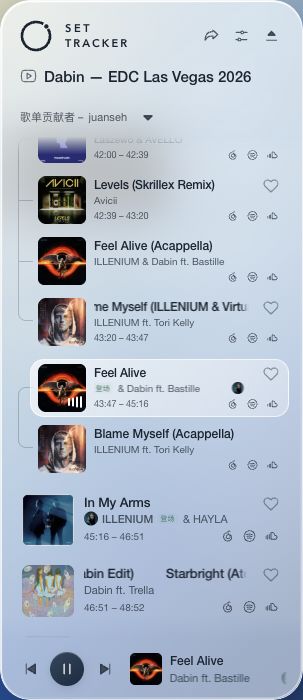
Refresh YouTube or Bilibili. Click the floating SET TRACKER button.
Try the Dabin setSearch by artist, set name or link in the tracklist menu.
 Feel Alive43:47 – 45:16
Click any track to play from that moment.
Copy a link. Open it on the web or import it into the extension.
Open the tracklist dropdown and choose Import. Paste a SET TRACKER link, upload TXT / CSV / JSON, or open Sources to import a 1001Tracklists link.
In extension settings, open More settings → Website & language. Set Website address to the address below and allow access when prompted.
A localhost address works only on the computer running this website.
Replace the extension folder with the new version, click Reload on the extensions page, then refresh your video tab.

Above Cappadocia

Boiler Room: London